Free during beta. No card needed.
Custody Note
Download free for Windows and Mac
Custody Note runs on Windows 10 or later (64-bit) and on macOS 11 or later (Apple Silicon and Intel). On Windows, install it from the Microsoft Store (UK) or download Setup.exe. On a Mac, download the .dmg below. The core features are free during beta, and you don't need a credit card.
On Windows, use the Microsoft Store (UK). On a Mac, use the notarised .dmg (one download for Apple Silicon and Intel). The Windows Setup.exe backup is only there if the Store isn't an option. The Mac version isn't on the Mac App Store.
The Windows version is on the Microsoft Store (UK).
Mac: notarised .dmg.
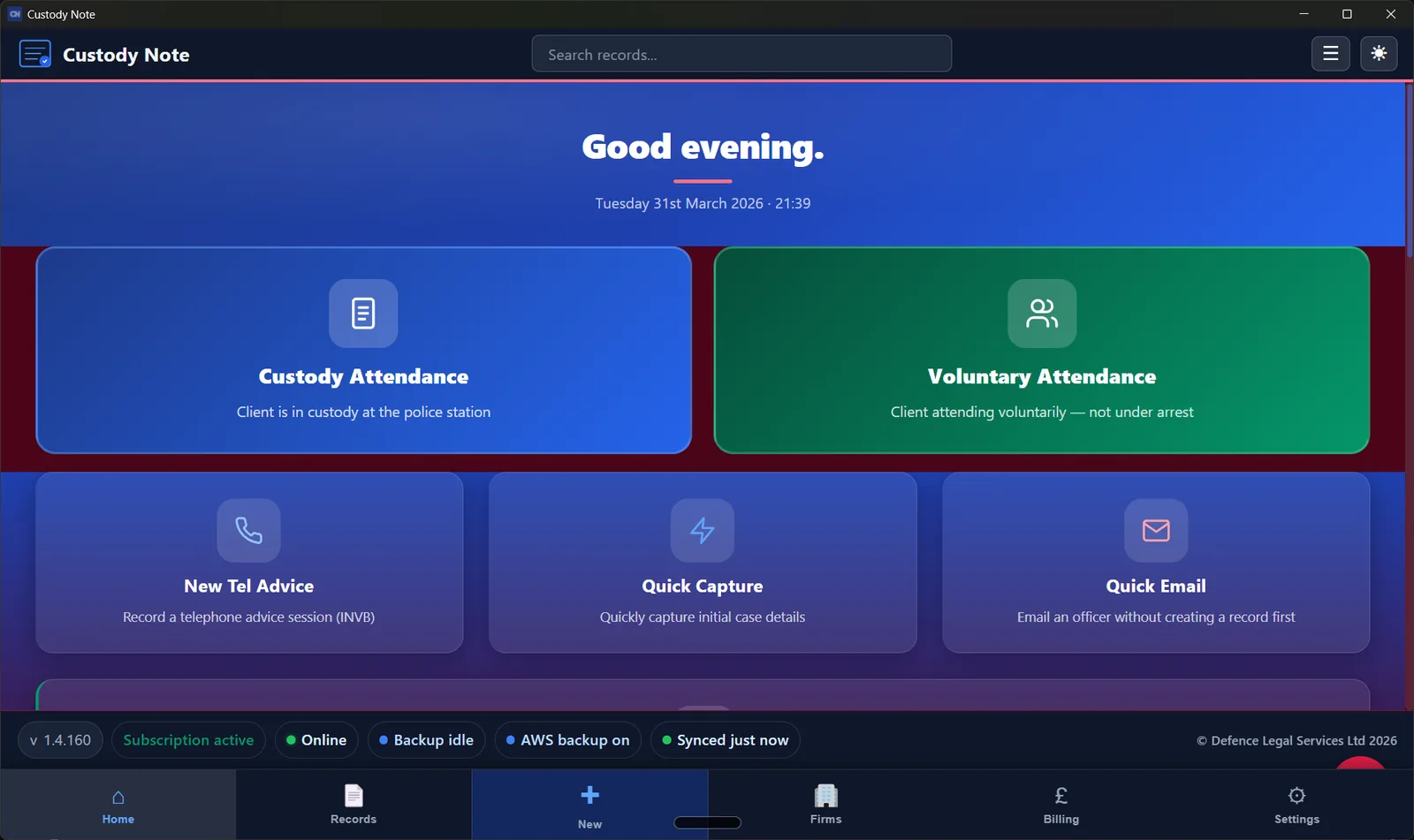
Windows
Custody Note for Windows
Windows 10 or later, 64-bit. About 90 MB.
Get it on Microsoft StoreFree during beta, no card needed
Free during beta, with the core features included. No credit card needed.
Can't use the Microsoft Store? Download the installer directlyFirm IT? See IT deployment (Intune & winget).
Microsoft Store (UK): available now, Windows only. Store ID 9NFSRVT3T45V. If you can't get to the Store, the direct Setup.exe is there as a backup.
Mac
Custody Note for Mac
macOS 11 or later. One download runs natively on Apple Silicon and Intel Macs.
A notarised .dmg, downloaded from this site. It isn't on the Mac App Store or the Microsoft Store.
Download for Mac
One download for every Mac on macOS 11 or later. It runs natively on Apple Silicon (M1/M2/M3/M4) and on Intel. It's a direct .dmg download (not Microsoft Store), Developer ID signed and Apple-notarised.
Download for Mac (Apple Silicon and Intel)Free during beta, no card neededIn beta and free while we test it. You don't need a credit card.
Custody-Note-1.9.126-universal.dmg
Installed from the Microsoft Store? Your licence
A Microsoft Store install starts fresh on that PC. That's normal. It won't pick up a licence or local database from an earlier direct (Setup.exe) install. If you've been given a licence key, open Settings → Licence and paste it in. Then click Validate. If you already use cloud backup on Pro, your backup isn't affected; sync needs a valid licence. If your cases don't appear, go to Settings → Backup and choose Full re-sync from cloud.
Firm or team interest? For firms — demo or pilot
Windows installation
Custody Note for Windows is on the Microsoft Store now. The listing is UK-only, so it won't show up on the US Store. On a Mac? Download the .dmg (Apple Silicon or Intel) from this page instead. If you can't use the Store, there's a direct Setup.exe further down.
There's a short video if you'd rather watch than read. Otherwise, follow the steps below.
- 1Use the Store if you can. Click Get it on Microsoft Store above and install from the listing (Store ID 9NFSRVT3T45V). Updates then come through the Store.
- 2If the Store isn't an option, click Can't use the Microsoft Store? Download the installer directly. Your browser may warn you about the file. Click Keep in Chrome or Keep anyway in Edge.
- 3Run
Custody-Note-Setup-1.9.126.exe. The direct installer isn't code-signed, so Windows SmartScreen may say “Windows protected your PC”. Click More info, then Run anyway. Installing from the Store avoids this. - 4If your antivirus quarantines Setup.exe, add an exception for the installer or the install folder. It gets flagged because the software is new to your antivirus provider.
- 5Go through the setup wizard. If you installed from the Store, open Custody Note from the Start menu instead. Set your recovery password and add your firm details, and you're done. The app works offline from the first time you open it.
Mac installation
- 1Download the .dmg (the same file works on Apple Silicon and Intel Macs) and open it. Drag Custody Note to Applications.
- 2Custody Note is Developer ID signed and Apple-notarised, so Gatekeeper should let you open it from Applications with a normal double-click the first time. If macOS still blocks it, right-click Custody Note in Applications and choose Open once.
- 3If macOS asks for access to Custody Note safe storage, enter your macOS login password and click Always Allow. That lets the app keep its encryption keys in Keychain.
- 4Set your recovery password and add your firm details. If you have a licence key, paste it into Settings. The same key works on Windows and Mac.
- 5The Mac app checks GitHub for updates when it starts. The licence, the account and the offline working are the same as on Windows.
About Windows SmartScreen warnings
Windows may show a SmartScreen warning ("Windows protected your PC") when you run the direct installer. You can avoid it by getting Custody Note from the Microsoft Store instead. If you do use the installer, click More info, then Run anyway.
The direct Windows Setup.exe isn't Authenticode-signed, so you should expect SmartScreen warnings if you use it. Store installs go through Microsoft's Store trust chain instead. Antivirus software may also flag new files until they're widely seen. Any questions? Contact us.
About Mac Gatekeeper
The Mac download is Developer ID signed and Apple-notarised, so Gatekeeper should let you open it from Applications with a normal double-click. If it still blocks it, right-click and choose Open once. If macOS says Custody Note is an Intel app, install this download over it: it runs natively on Apple Silicon.
What's New in v1.9.126
Full changelog- •Typing is no longer lost if the app is closed or quits suddenly: anything you were typing, including in a brand-new note, is saved first.
- •If you close or quit Custody Note while some notes have not yet synced to your account, it now warns you and lets you go back. This works for the close button and for Cmd+Q on Mac.
- •If syncing gets stuck, a banner on the Home screen tells you and gives you a Retry button.
- •Police station Wi-Fi: the app now spots when the Wi-Fi needs you to sign in on a web page before it will connect, and tells you, instead of failing to sync quietly.
- •New My phrases library in the Templates menu: save wording you use often, then add, edit or delete it and insert it into notes.
- •New Check my records button in the conflict section: it searches your past notes for the client and other names (including full names) so you can spot a possible conflict. You still choose the conflict answer yourself.
- •QuickFile: parking now goes on nominal code 4906 with travel costs.
- •LAA escape fee check now uses profit costs only when comparing against the threshold, so mileage and travel no longer count towards it.
- •Microsoft Store version: notes are now kept in the same data folder as the website download, so switching between the two keeps your notes.