Starting a New Note: From the Call to the First Screen
When you get the call from the DSCC or your client, you want to be recording information immediately. Here is how Custody Note gets you to a new note as quickly as possible.
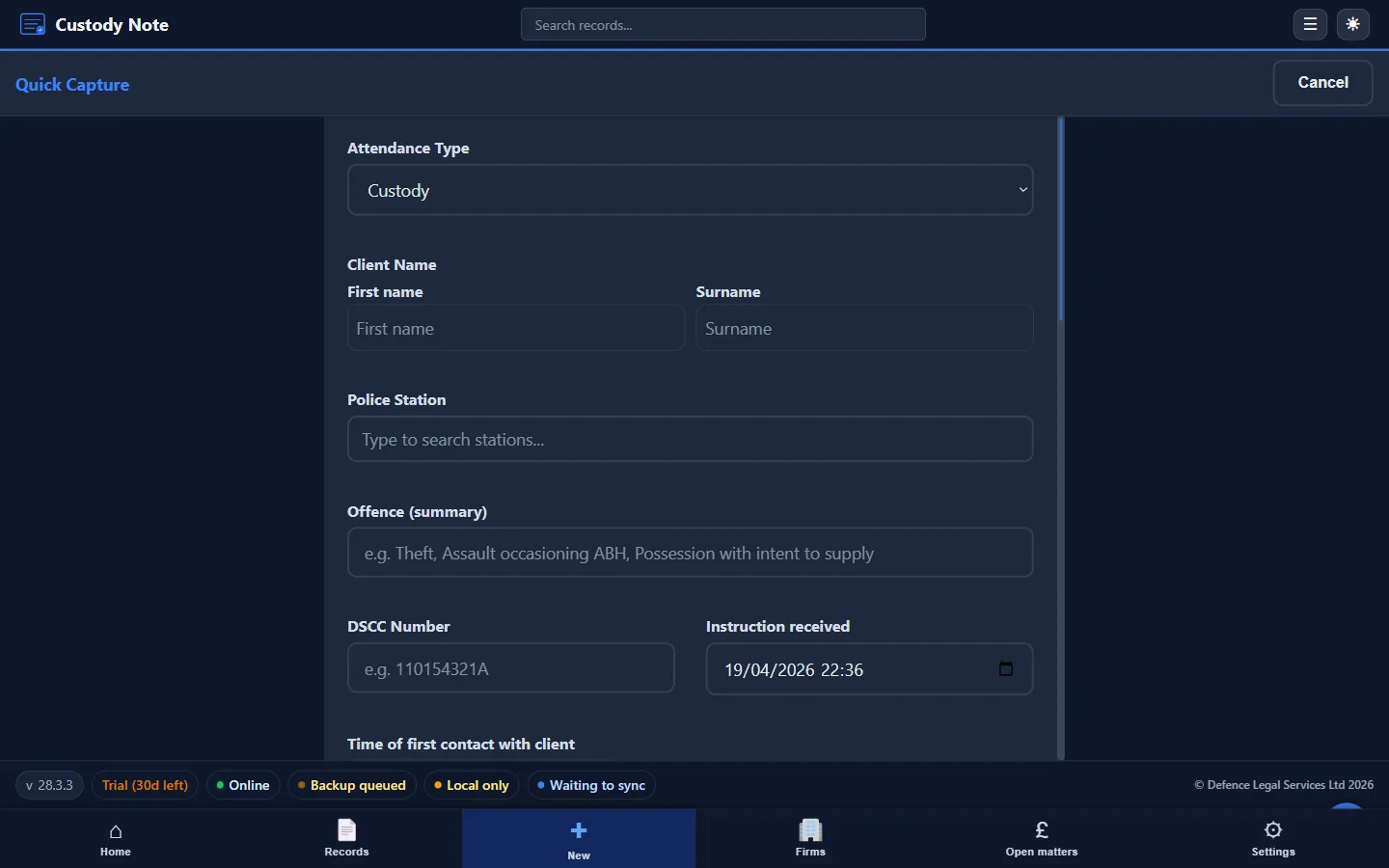
One of the practical priorities when designing Custody Note was reducing the time between receiving a call and having a note open on screen. The new note workflow is intentionally short.
From DSCC Call to First Screen
From the home screen, a single click opens any of the workflows. For the typical DSCC callout, the fastest path is Quick Capture: it shows you only the fields you have on the phone (attendance type, client name, station, summary of the offence, DSCC number) so you can start recording while still on the call.
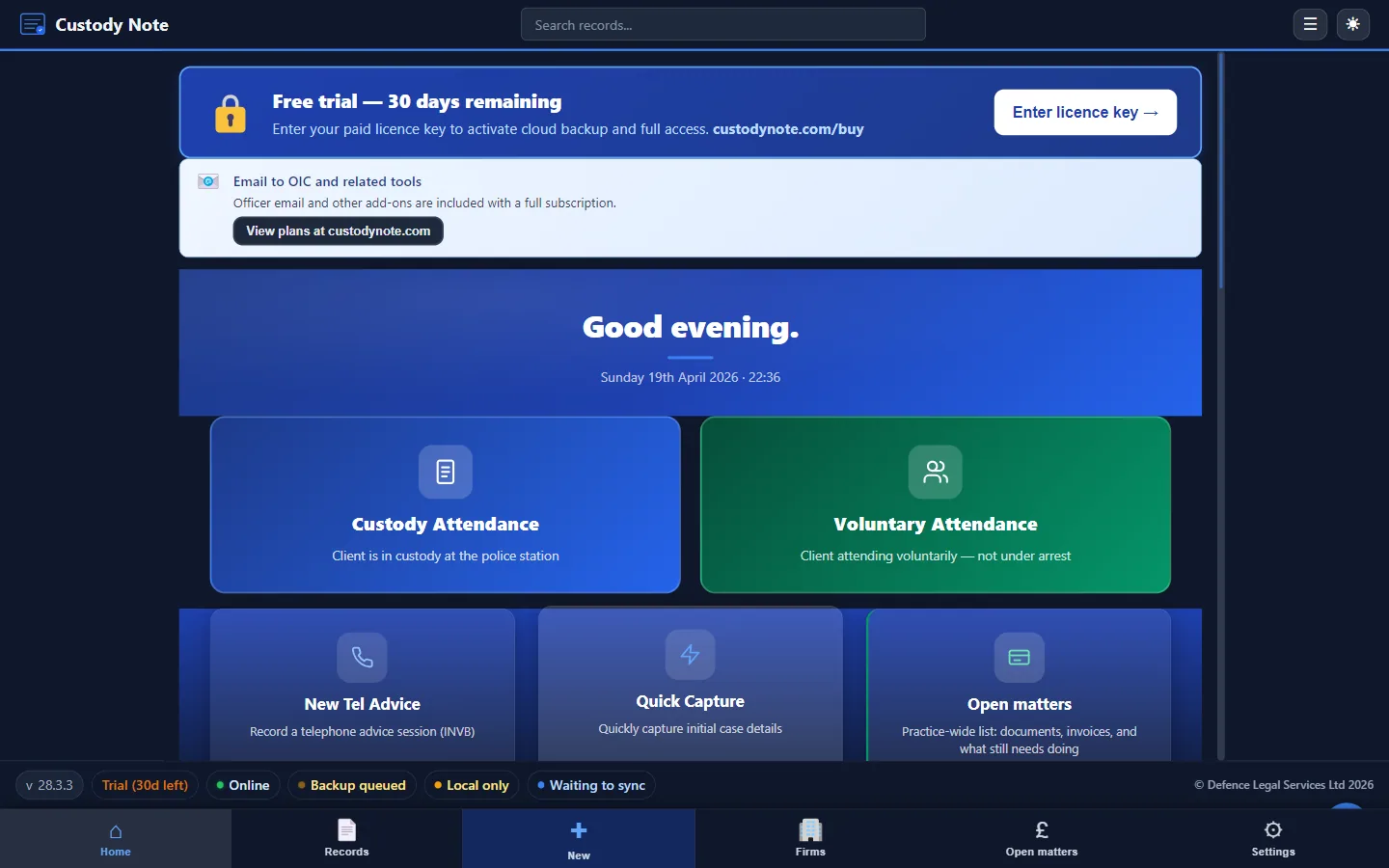
You don't need to fill in every field before the note is saved. Custody Note saves automatically as you type, so there's no risk of losing information if you need to put the laptop down and walk into the custody suite.
Promoting to a Full Attendance
Once you arrive at the station, the Quick Capture record is promoted in one click to a full custody attendance. Everything you typed during the call is carried across to Section 1, and you continue from there.
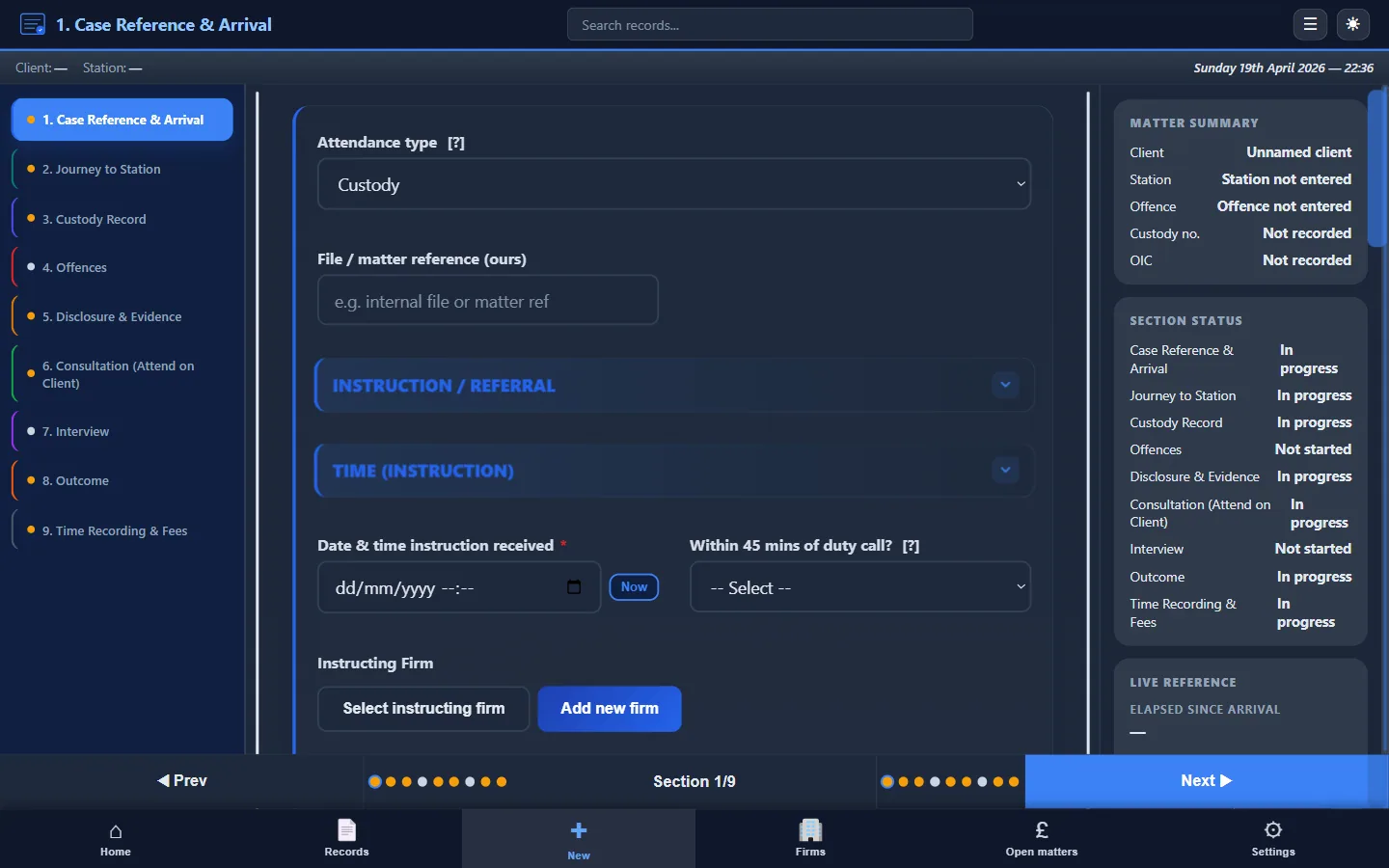
The Section Structure from the Start
As soon as a new note is open, the section navigator shows all nine sections of a custody attendance: Case Reference & Arrival, Journey to Station, Custody Record, Offences, Disclosure & Evidence, Consultation, Interview, Outcome, and Time Recording & Fees. You can jump to any section at any time. The app never forces you through linearly.
In practice, most representatives work through the sections in order, but the flexibility to jump directly to, for example, the Interview section if you arrive mid-interview is built in from the start.
Multiple Notes
Custody Note supports having multiple notes in progress simultaneously, which is useful if you're dealing with co-defendants or need to refer to an earlier attendance while writing up a new one. Each in-progress matter appears under Open Matters on the home screen and can be reopened in a single click.
Note: This article is intended as general information for criminal defence practitioners in England and Wales. It doesn't constitute legal advice. Solicitors and accredited representatives should exercise their own professional judgment in each case. Law and practice may change; always verify current requirements with primary sources.